

Create a subscription plan
Objective
Section titled “Objective”Steps below guide you through creating a subscription plan with a defined billing interval for recurring payments and localized pricing.
Prerequisites
Section titled “Prerequisites”Before starting steps on this page, you must have completed the following tasks:
| Task | Section |
|---|---|
| Create a Paddle vendor account | Your Paddle account |
| Create a Paddle sandbox | Your Paddle account |
Steps required
Section titled “Steps required”Follow steps below:
-
If you aren’t there already, log into your Paddle sandbox: https://sandbox-vendors.paddle.com
-
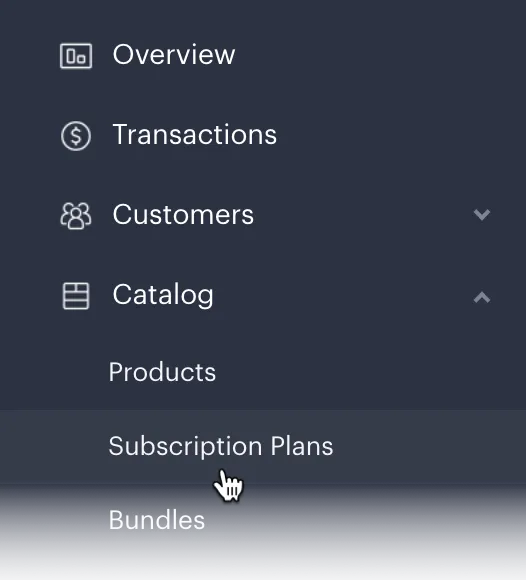
From the left-hand navigation menu, select Catalog and then Subscription Plans:
-
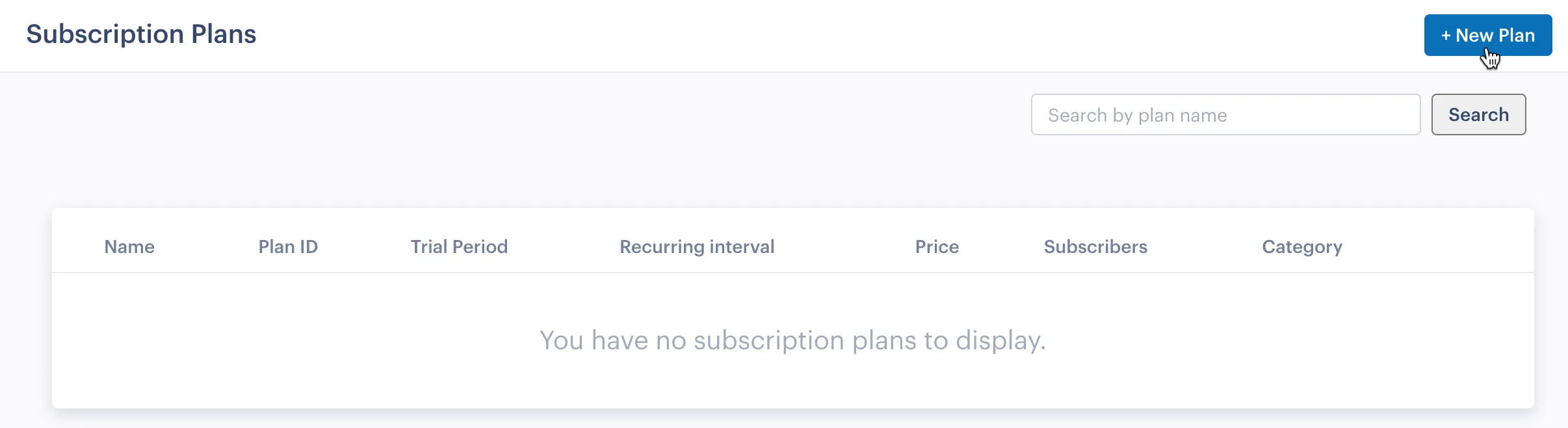
Click the New Plan button:
-
Complete details for your new subscription plan:
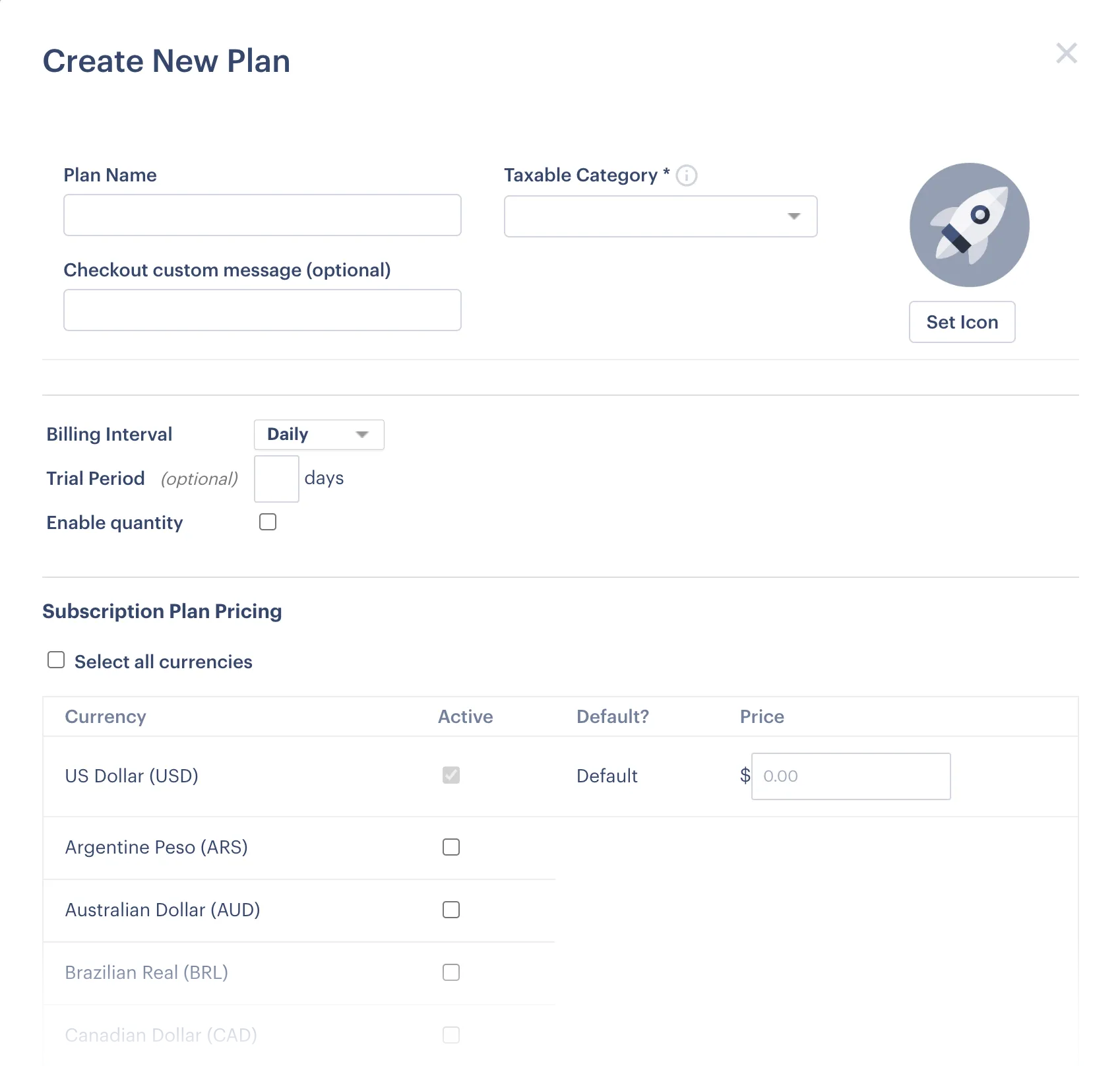
See notes below for guidance (you can also hover your cursor over tooltips for each field):
| Field | Summary |
|---|---|
| Plan Name | Enter the name by which this plan will be known throughout Paddle. |
| Taxable Category | Select Standard Digital Goods. Additional options can be requested later if you find that the Standard Digital Goods category does not meet your ongoing needs. |
| Product Icon | Upload an icon to be displayed in any checkout for this product. |
| Billing Interval | Use the dropdown list to select the frequency for recurring billing. You can choose from predefined periods (e.g. monthly) or define a custom interval. |
| Trial Period | If you’d like to provide a free trial, enter the required number of days here. When a customer purchases this plan, payment details are required for verification, but billing does not take place until the trial ends (assuming the subscription is not canceled during the trial period). |
| Enable Quantity | Select this option to add a quantity field to the Paddle checkout when a customer purchases this plan (so customers can buy multiple plans in one transaction). |
| Subscription Plan Pricing | Use this section to:
|
Click the Save Plan button to confirm details.
Next steps
Section titled “Next steps”| Task | Section |
|---|---|
| Connect a Paddle checkout | The Paddle checkout |
Learning
Section titled “Learning”| Resource | Summary |
|---|---|
| About Paddle subscriptions | If you’re new to Paddle subscriptions, this general introduction is a great place to start finding out how they work. |
| The subscription lifecycle | Understanding the lifecycle of a subscription is key to any subscription management strategy. |
| Supported subscription models | Have you decided what subscription model you’ll be using? |
| Taxable categories | Learn more about taxable categories. |
| Subscription alerts | Keep your platform in sync and manage access with subscription webhooks. |
| Subscription API endpoints | Take a deep dive into the Paddle API to find out how you can integrate Paddle subscription functionality with your platform. |