

Verify webhook signatures
Check that webhooks are genuinely sent by Paddle by verifying webhook signatures.
For security, we recommend that you verify webhook signatures to make sure that webhook events are genuinely sent by Paddle and haven’t been tampered with in-transit.
Signature verification is where you compare a signature that you generate with a signature that Paddle sends as a header. Both signatures are generated using a secret key that only you and Paddle know, so if they match it means you can be sure events came from Paddle.
Signature verification is enabled for all events sent from Paddle.
Get your webhook secret key
Section titled “Get your webhook secret key”Paddle creates a secret key for each notification destination that you add. If you add more than one notification destination, get keys for each notification destination that you’d like to verify signatures for.
Open Notifications
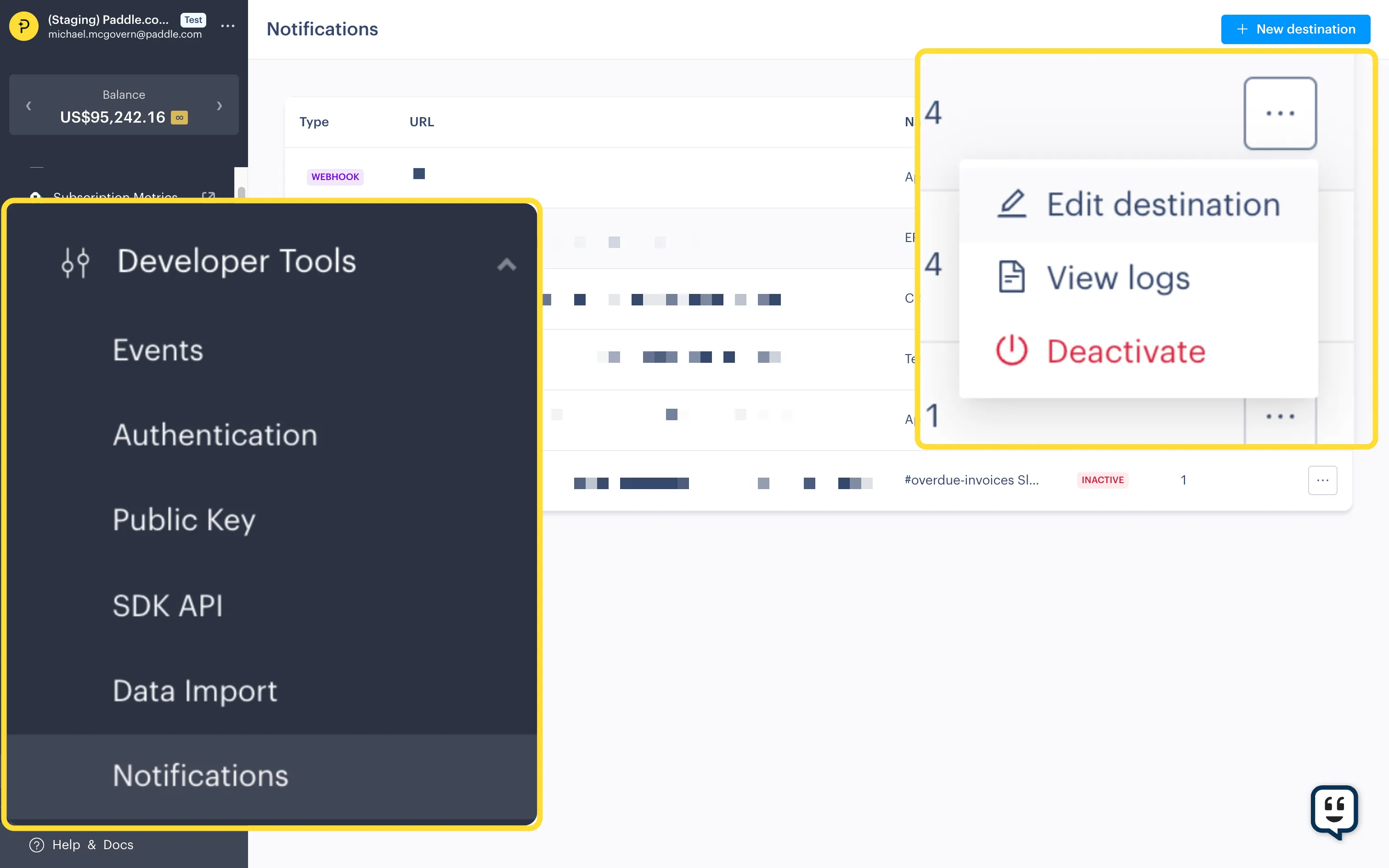
Section titled “Open Notifications”- Go to Dashboard > Developer Tools > Notifications.
- Click the three dots next to a notification destination and choose Edit destination.
Get secret key
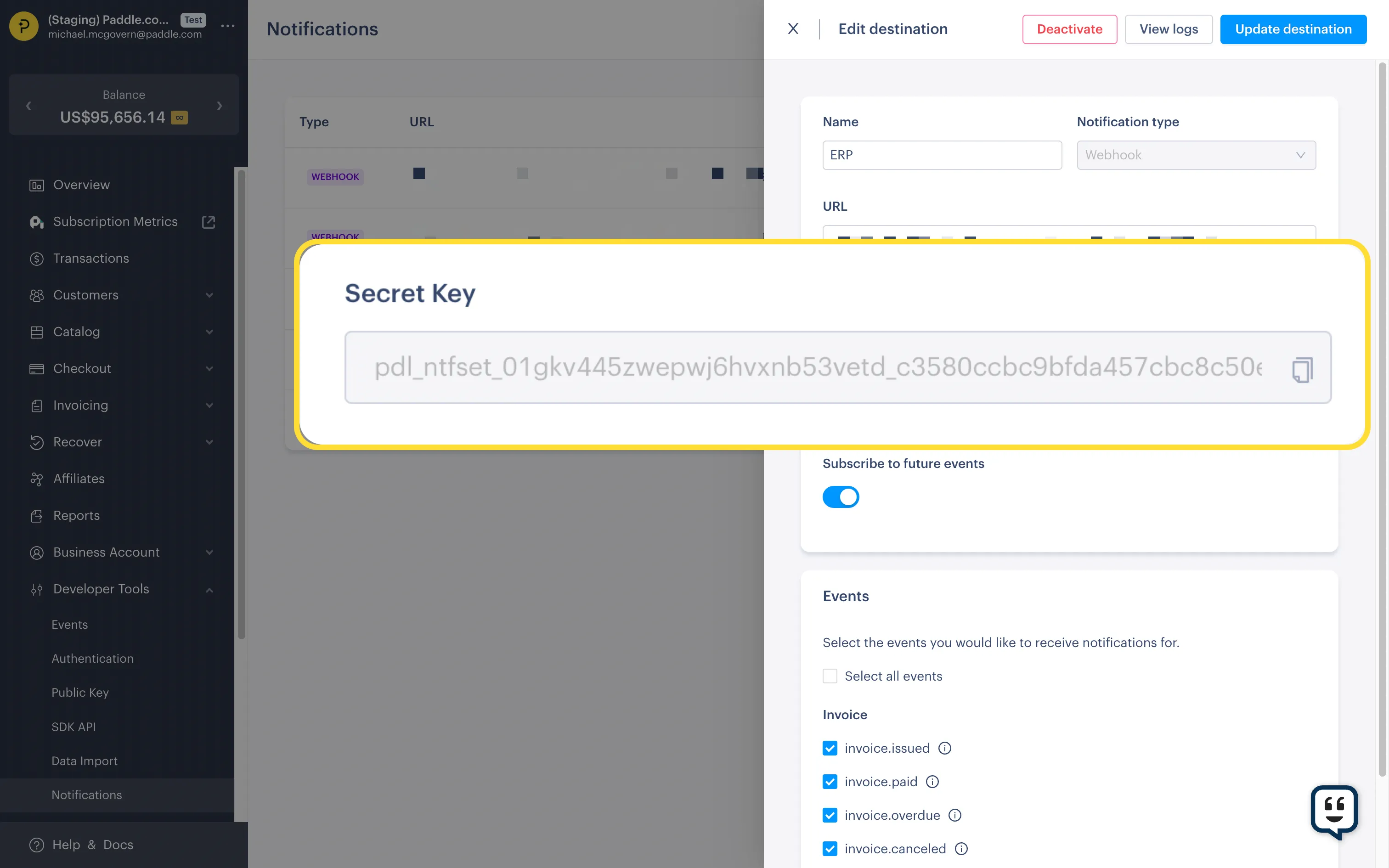
Section titled “Get secret key”You’ll see your secret key in the notification destination details. Use the copy icon to copy it.
Get Paddle-Signature header
Section titled “Get Paddle-Signature header”All webhook events sent by Paddle include a Paddle-Signature header. For example:
ts=1671552777;h1=eb4d0dc8853be92b7f063b9f3ba5233eb920a09459b6e6b2c26705b4364db151Signatures include two parts, separated by a semicolon:
properties: ts: type: string format: date-time description: Timestamp as a Unix timestamp. example: 1671552777 h1: type: string description: Webhook event signature. Signatures contain at least one `h1`. example: eb4d0dc8853be92b7f063b9f3ba5233eb920a09459b6e6b2c26705b4364db151Verify webhook signatures
Section titled “Verify webhook signatures”To verify webhook signatures:
Extract timestamp and signature from header
Section titled “Extract timestamp and signature from header”Parse the Paddle-Signature header to extract the timestamp (ts) and signature values (h1).
You can do this by splitting using a semicolon character (;) to get elements, then splitting again using an equals sign character (=) to get key-value pairs.
Build signed payload
Section titled “Build signed payload”Paddle creates a signature by first concatenating the timestamp (ts) with the body of the incoming event, joined with a colon (:).
Build your own signed payload by concatenating:
- the timestamp (
ts) + - a colon (
:) + - the full body of the incoming event
Hash signed payload
Section titled “Hash signed payload”Paddle generates signatures using a keyed-hash message authentication code (HMAC) with SHA256 and a secret key.
Compute the HMAC of your signed payload using the SHA256 algorithm, using the secret key for this notification destination as the key.
This should give you the expected signature of the webhook event.
Compare signatures
Section titled “Compare signatures”Compare the Paddle-Signature header to the signature you just computed.
If they don’t match, you should reject the webhook event. Someone may be sending malicious requests to your webhook endpoint.