

Update payment details
Update Payment Details URL
Section titled “Update Payment Details URL”When a subscription is created, updated, or when a payment fails, Paddle provides an update_url within the Subscription Created, Subscription Updated, and Subscription Payment Failed alert. This URL links to a simple payment update page that you can redirect customers to update their payment information.
The update URLs are unique to each customer.
If you are not storing the URLs at the time you receive the subscription created/updated/payment failed webhook alerts, you can alternatively retrieve this by calling the Update Users API using the subscription_id.
Opening Update Page via Paddle.js
Section titled “Opening Update Page via Paddle.js”The subscription payment details URL can be opened with Paddle.js as either an overlay or inline format on your website, similar to the checkout.
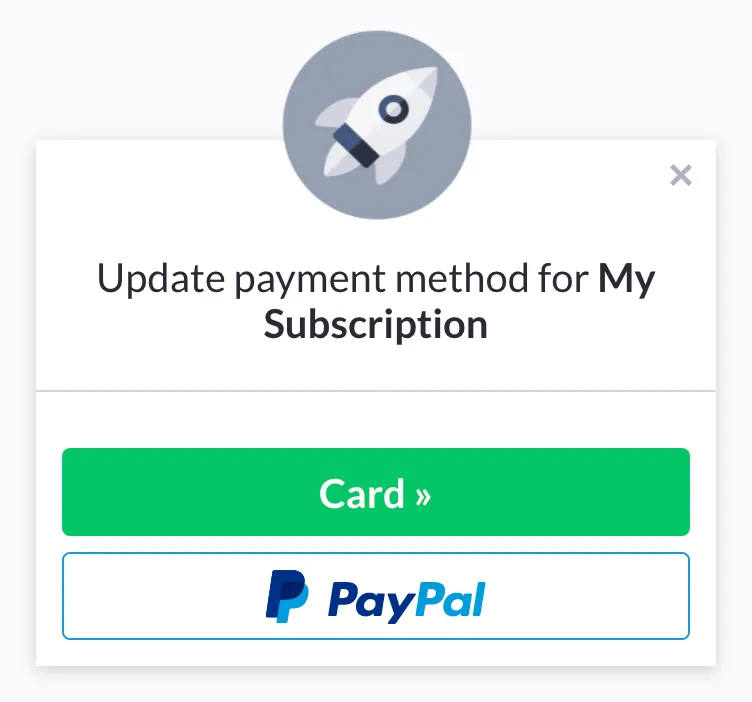
Overlay
Section titled “Overlay”Both Paddle.js HTML button and Javascript method support the overlay format. Each take an override parameter that accepts the full update_url sent by Paddle’s alert.
<a href="#!" class="paddle_button" data-override="https://subscription-management.paddle.com/subscription/12345/hash/.../update" >Update Payment Information</a>Paddle.Checkout.open({ override: "https://subscription-management.paddle.com/subscription/12345/hash/.../update",});You can additionally redirect the customer to a specified URL, or perform other Javascript action once they have successfully updated their subscription by passing in the ‘success’ or ‘success callback’ parameter respectively.
<a href="#!" class="paddle_button" data-override="https://subscription-management.paddle.com/subscription/12345/hash/.../update" data-success="https://example.com/subscription/update/success" >Update Payment Information</a>Paddle.Checkout.open({ override: "https://subscription-management.paddle.com/subscription/12345/hash/.../update", success: "https://example.com/subscription/update/success",});Inline
Section titled “Inline”Paddle.js Javascript method support the inline format. It takes an override parameter that accepts the full update_url sent by Paddle’s alert.
Paddle.Checkout.open({ override: "https://subscription-management.paddle.com/subscription/12345/hash/.../update", method: "inline", frameTarget: "checkout-container", // The className of your checkout <div> frameInitialHeight: 416, frameStyle: "width:100%; min-width:312px; background-color: transparent; border: none;", // Please ensure the minimum width is kept at or above 312px.});You can additionally redirect the customer to a specified URL, or perform other Javascript action once they have successfully updated their subscription by passing in the ‘success’ or ‘success callback’ parameter respectively.
Paddle.Checkout.open({ override: "https://subscription-management.paddle.com/subscription/12345/hash/.../update", method: "inline", frameTarget: "checkout-container", // The className of your checkout <div> frameInitialHeight: 416, frameStyle: "width:100%; min-width:312px; background-color: transparent; border: none;", // Please ensure the minimum width is kept at or above 312px. success: "https://example.com/subscription/update/success",});