

Overlay checkout
Appearance
Section titled “Appearance”The quickest way to implement is by using our Overlay Checkout. This is an iframe that is displayed over your own webpage when the checkout is triggered. The checkout is customized with your product logo and brand color, and the user experience is optimized by us for maximum conversion.
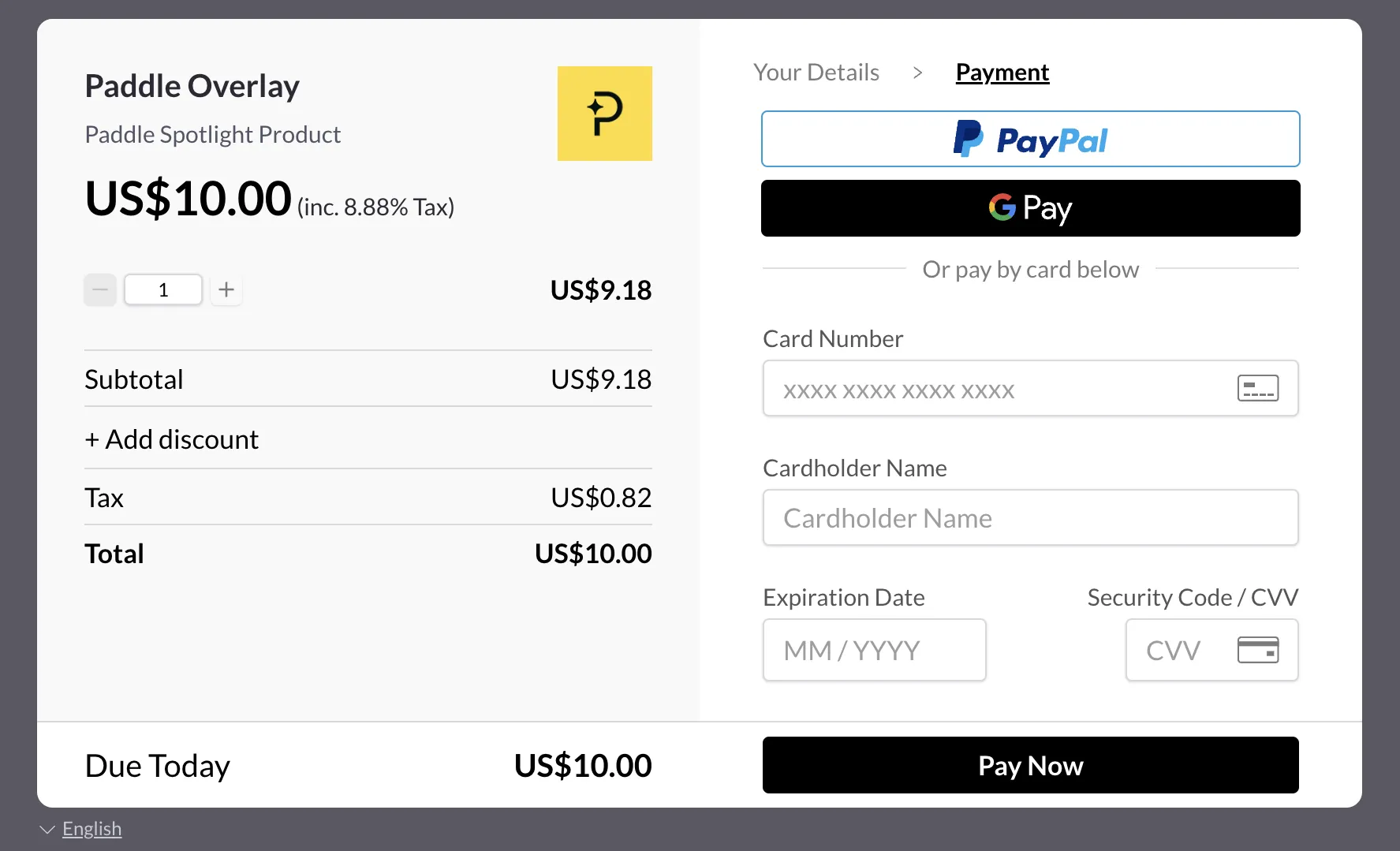
If you prefer not to use the Overlay Checkout, you can alternatively use the Inline Checkout (embedded in your page).
Import Paddle.js
Section titled “Import Paddle.js”The paddle.js library can be imported by linking to Paddle’s CDN resource. Following the inclusion of the library, you must call the Paddle.Setup() method with your Paddle Vendor ID.
<script src="https://cdn.paddle.com/paddle/paddle.js"></script><script type="text/javascript"> Paddle.Setup({ vendor: 1234567 });</script>Invoking the basic checkout
Section titled “Invoking the basic checkout”You can make any clickable element on your page into a buy button, either by adding the paddle_button class or by calling the Paddle.checkout.open() method on a click event. Using a Paddle Button is the simplest way to trigger the checkout.
By default, the buy button will be styled green. You can disable the styling by adding the property data-theme with the value none.
<a href="#!" class="paddle_button" data-product="12345">Buy Now!</a><a href="#!" class="paddle_button" data-product="12345" data-theme="none" >Buy Now!</a>Invoking the flexible checkout
Section titled “Invoking the flexible checkout”Invoking the checkout with a JavaScript click event makes it easier to flexibly and dynamically add custom parameters to a checkout:
<a href="#!" id="buy">Buy now!</a><script type="text/javascript"> function openCheckout() { Paddle.Checkout.open({ product: 12345 }); } document.getElementById("buy").addEventListener("click", openCheckout, false);</script><a href="#!" id="buy">Buy now!</a><script type="text/javascript"> function openCheckout() { Paddle.Checkout.open({ product: 12345 }); } $("#buy").click(openCheckout);</script>function App() { const Paddle = window.Paddle; const openCheckout = () => { Paddle.Checkout.open({ product: 12345 }); }; return ( <div className="App"> <header className="App-header"> <Button variant="primary" onClick={openCheckout}> Subscribe Now! </Button>{" "} </header> </div> );}export default App;