

Configure Paddle webhooks
Your objective
Section titled “Your objective”Here, you will configure Paddle subscription/product webhooks to receive events when these items are purchased.
Prerequisites
Section titled “Prerequisites”Before starting steps on this page, you must have completed the following tasks:
| Task | Section |
|---|---|
| Create a Paddle vendor account | Your Paddle account |
| Create a Paddle sandbox | Your Paddle account |
| Create a subscription plan -or- create a one-time product | Paddle catalog |
| Gather checkout details | The Paddle checkout |
| Import the Paddle JS library | The Paddle checkout |
| Add a Paddle button to your web page | The Paddle checkout |
Steps required
Section titled “Steps required”Follow steps below:
-
If you don’t already have a webhook endpoint URL that can be used for testing, you can obtain one easily from services such as webhook.site, ngrok, or Expose.
-
If you aren’t there already, log into your Paddle sandbox: https://sandbox-vendors.paddle.com
-
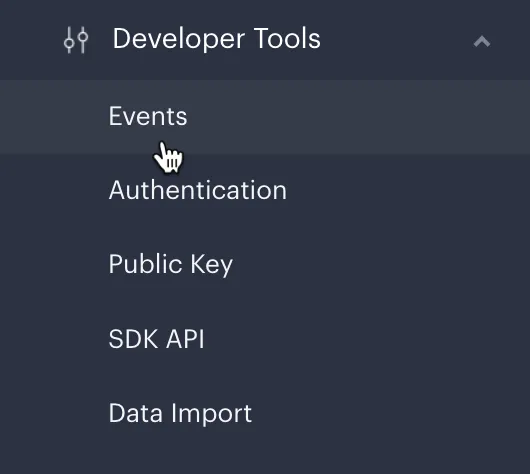
From the left-hand navigation menu, select Developer Tools and then Events:
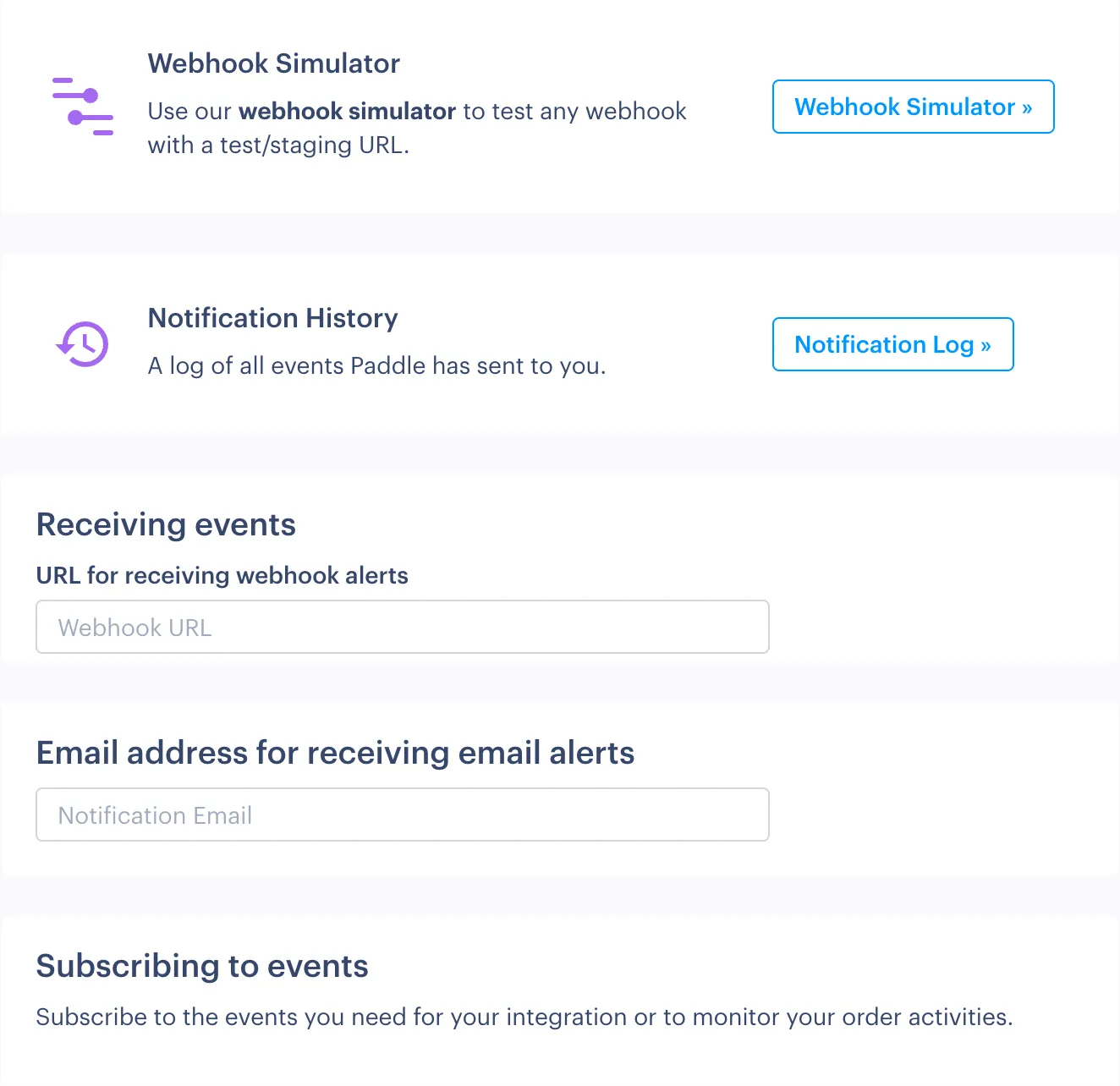
The Paddle Events page is displayed. The top half of this page is concerned with general setup and testing for webhooks:
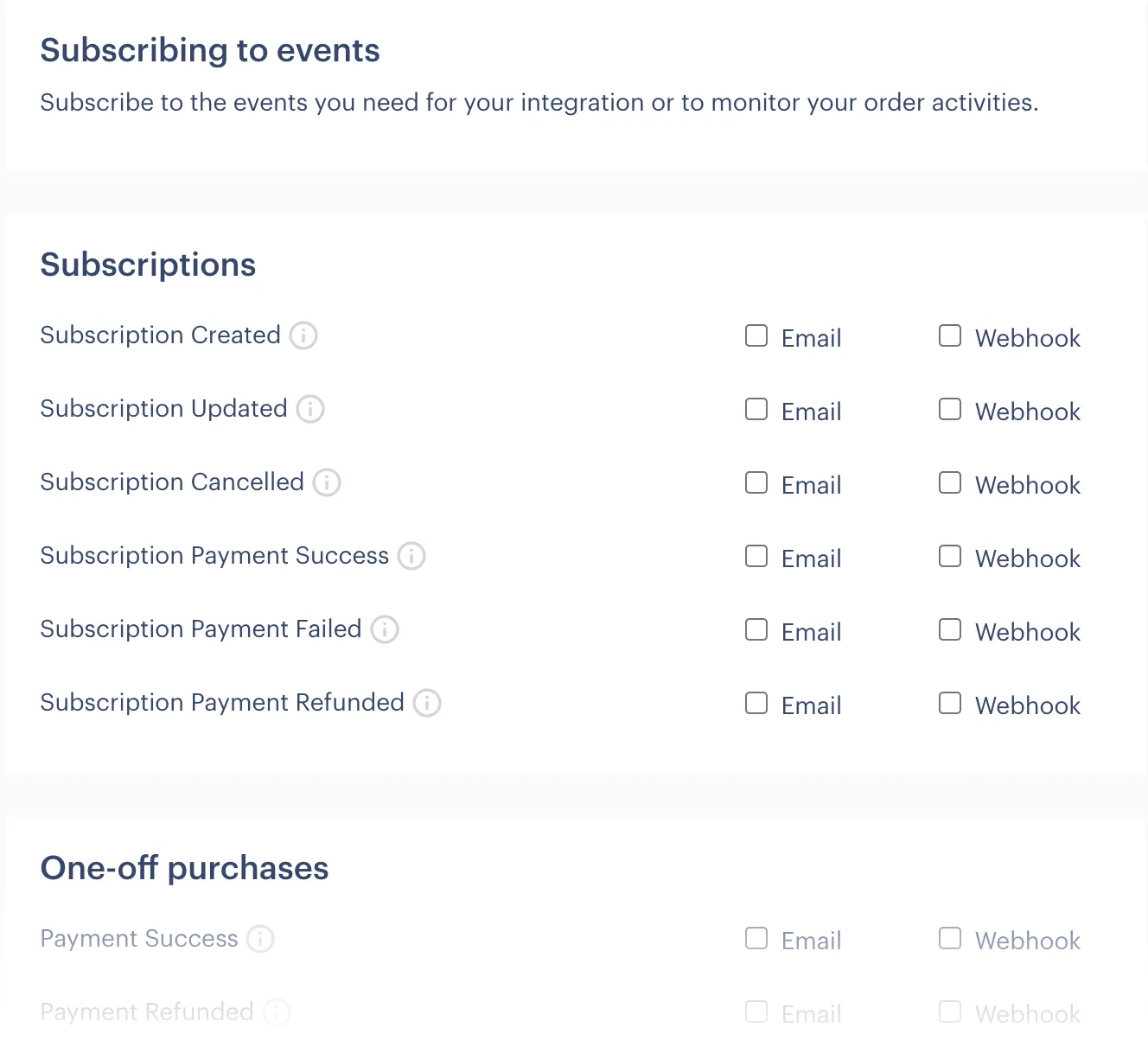
The lower section lists all available Paddle events for which you can choose to receive events:
-
In the top section, move to the Receiving events field and enter the URL that you’d like to use:

-
In the lower Subscribing to events section:
-
If your store test page is configured to sell a subscription plan, select the following webhooks:
- Subscription created
- Subscription payment success
-
If your store test page is configured to sell a one-time product, select the following webhooks:
- Payment success
- Order processing completed
-
-
Click the Save Changes button at the end of the page.
-
If your webhook URL is pointing to your own integration (rather than a webhook test/listening site), ensure that Paddle IPs are whitelisted.
Subscription & product webhook summary
Section titled “Subscription & product webhook summary”Available webhooks for subscription and one-time product events are summarized below:
| Alert | Summary |
|---|---|
| Subscription created | Fired when a customer completes a successful checkout for a new subscription. |
| Subscription updated | Fired when there is a change to the plan, price, quantity or status for an existing subscription - or if the payment date is rescheduled. |
| Subscription cancelled | Fired when an existing subscription is canceled. |
| Subscription payment success | Fired when a payment is made into your Paddle account following a successful checkout for a new subscription, or following successful rebilling for an existing subscription. |
| Subscription payment failed | Fired when an existing subscription is rebilled and payment fails. |
| Subscription payment Refunded | Fired when a refund is issued for an existing subscription. |
| Alert | Summary |
|---|---|
| Payment success | Fired when a payment is made into your Paddle account following a successful checkout for a one-time product . |
| Payment refunded | Fired when a refund is issued for a one-time product purchase. |
| Order processing completed | Fired when an order is created following a successful checkout for a one-time product. |
Next steps
Section titled “Next steps”| Task | Section |
|---|---|
| Test your work | Testing |
Learning
Section titled “Learning”| Resource | Summary |
|---|---|
| Working with Paddle webhooks | Get familiar with the basics of configuring and testing webhooks in Paddle. |
| Webhook security | Understand security settings required to ensure your integration receives Paddle webhooks. |
| Access management using webhooks | Listening for Paddle webhooks and then taking appropriate action in your backend systems based on information received is key to a successful access management strategy for subscriptions. |
| Paddle webhooks reference | Check our reference pages for full payload details for all Paddle webhooks. |
| Paddle API reference | Take a deep dive into the Paddle API to find out how you can integrate Paddle functionality with your platform. |