

Gather checkout details
Your objective
Section titled “Your objective”To integrate the Paddle Checkout with a ‘Buy’ button for an item on your website, you need a couple of pieces of information from your dashboard. Steps below show you how to find:
- Your Vendor ID.
- The Product ID or the Plan ID for the product or subscription plan that you wish to associate with a button on your website.
Prerequisites
Section titled “Prerequisites”Before starting steps on this page, you must have completed the following tasks:
| Task | Section |
|---|---|
| Create a Paddle vendor account | Your Paddle account |
| Create a Paddle sandbox | Your Paddle account |
| Create a subscription plan -or- create a one-time product | Paddle catalog |
Steps required
Section titled “Steps required”Follow steps below:
-
If you aren’t there already, log into your Paddle sandbox: https://sandbox-vendors.paddle.com
-
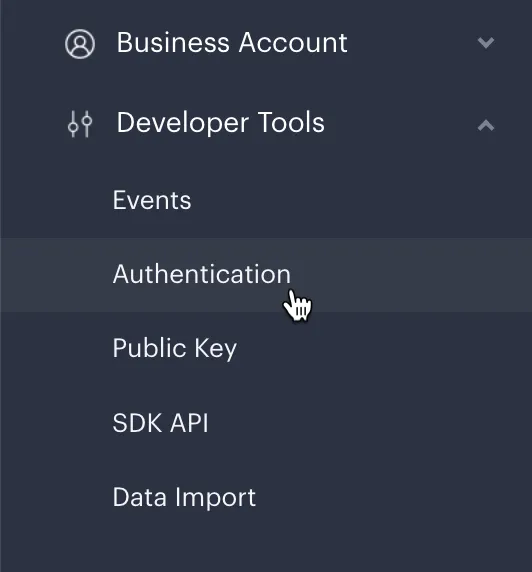
From the left-hand navigation menu, select Developer Tools and then Authentication:
-
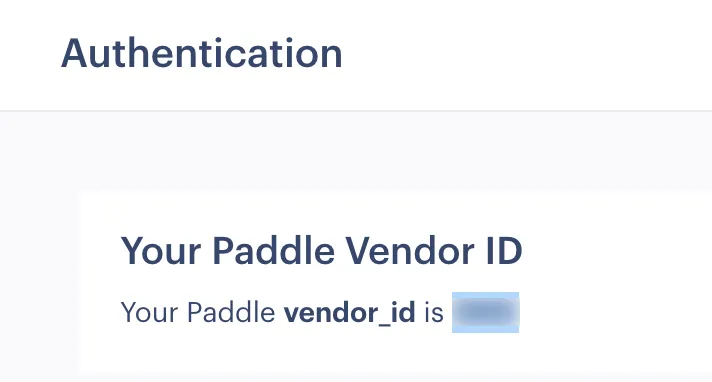
Make a note of your Vendor ID:
-
If you want to sell a subscription plan, select Catalog and then Subscription Plans from the left-hand navigation menu:
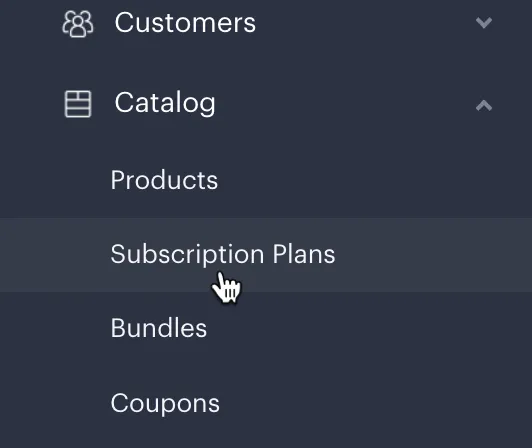
…then make a note of the Plan ID associated with the subscription plan to be sold:

-
If you want to sell a one-time product, select Catalog and then Products from the left-hand navigation menu:
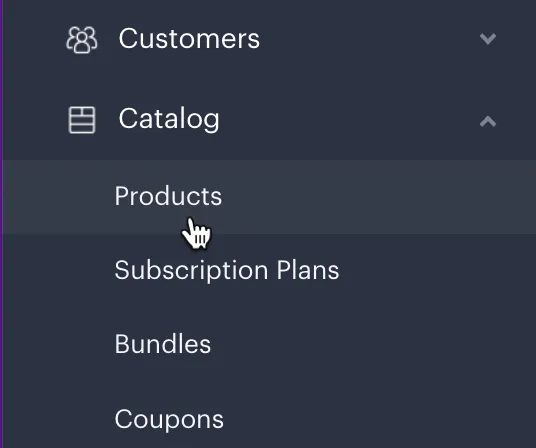
…then make a note of the Product ID associated with the One-Time Product to be sold:

Next steps
Section titled “Next steps”| Task | Section |
|---|---|
| Import the Paddle JS library | The Paddle checkout |
Learning
Section titled “Learning”| Resource | Summary |
|---|---|
| Paddle JS library reference | Find out more about the Paddle JS library. |
| Overlay checkout | Paddle’s overlay checkout is an iframe, displayed over your webpage. Find out how to implement this for your website, here. |
| Inline checkout | Paddle’s inline checkout is embedded into your web store page for a more customizable, branded checkout flow. Find out how to implement this for your website, here. |
| Customizing the checkout with parameters | The checkout experience can be customized by passing in parameters to collect/utilize additional user data. Find out what data can be collected and how to use it, here. |
| Post-checkout behavior | Find out more about customizing the customer’s experience once a checkout is completed. |
| Checkout API endpoints | Take a deep dive into the Paddle API to find out how you can integrate Paddle checkout functionality with your platform. |